What a Fit-Out Company Website Needs
People visit a fit-out company’s website to check two things: that you’ve done work like theirs, and that they can trust you with it. An office manager planning a move looks for offices of a similar size, a landlord’s agent wants proof of good Cat A work, and a main contractor’s buyer looks for accreditations and insurance.
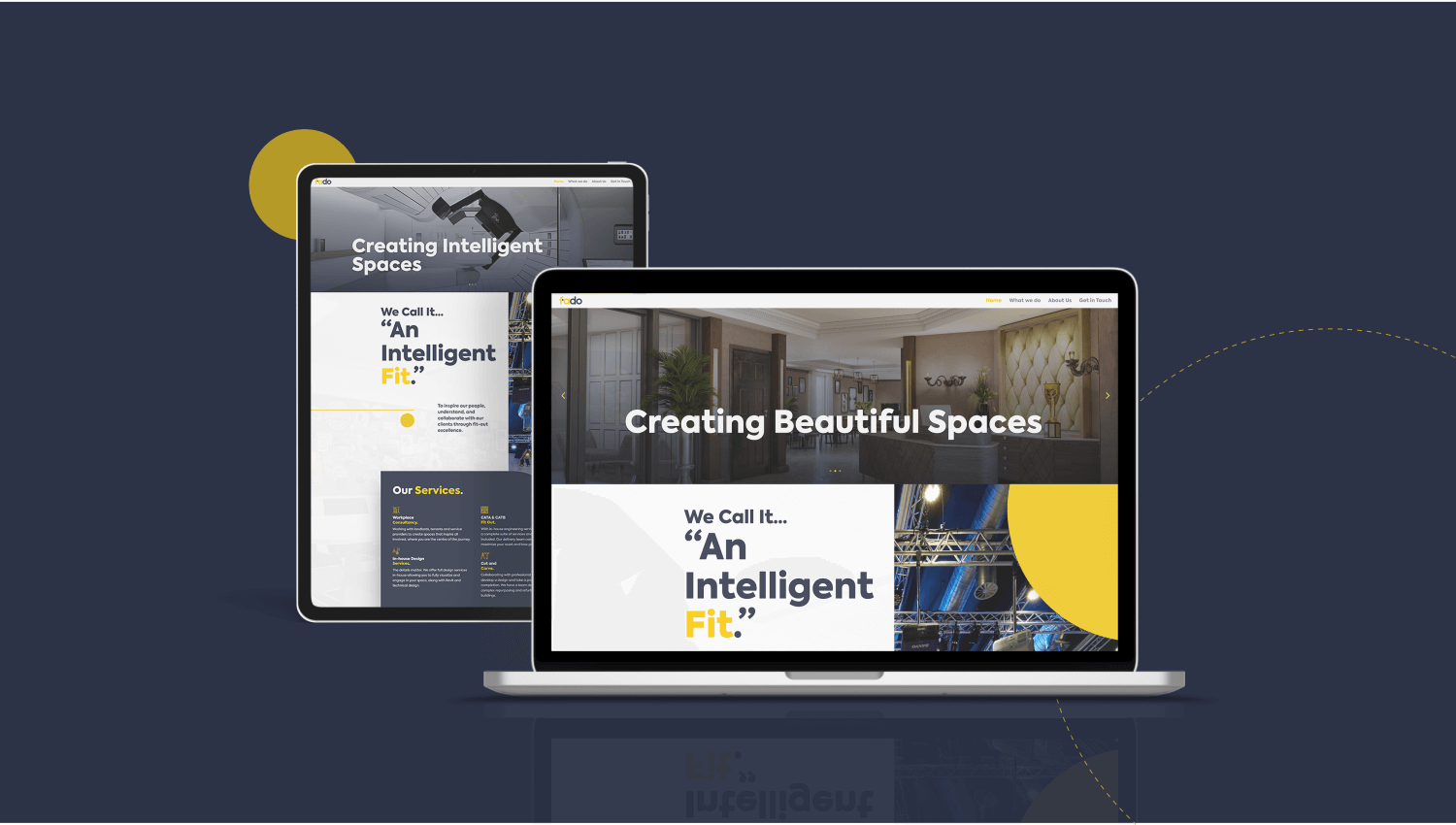
For Fado, a London fit-out company, I rebuilt the website for speed and clarity, set up the SEO and trained their team to maintain it. In my marketing guides for construction and fit-out firms, the website is the first thing to fix, because people reach it from your Google profile, LinkedIn posts and tender documents.
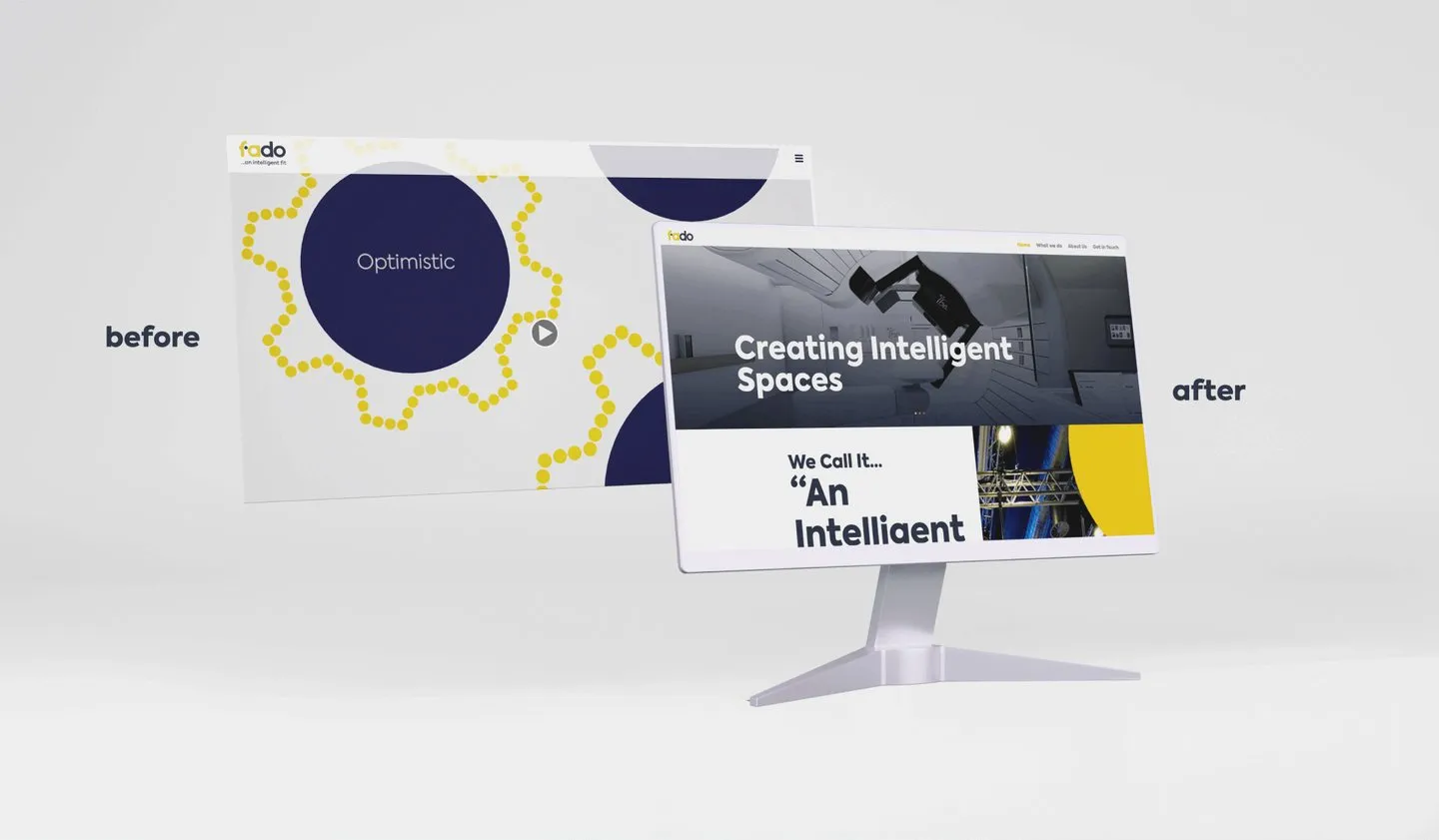 Fado’s website before and after my 2022 redesign.
Cat A and Cat B in Plain Terms
Buyers use these terms, so your site should too. Cat A is the landlord’s base build finish: raised floors, suspended ceilings, basic lighting and air conditioning, and toilets. It leaves a clean, open floor ready for a tenant’s own fit-out.
Cat B is the occupier’s fit-out: partitions, meeting rooms, kitchens and breakout areas, furniture, branding and IT. It turns that open floor into an office built around one business.
The two often have different buyers, since landlords and their agents commission Cat A and tenants commission Cat B. Say which you do, and if you do both, give each its own page.
Projects Are the Heart of the Site
Your projects are the evidence people came for. Give each one its own page with the facts a buyer looks for:
- Sector, such as commercial offices, education or healthcare
- Location
- Size in sq ft
- Programme length
- Type of work, such as Cat A, Cat B, refurbishment or design and build
- Before and after photos from the same spots
- A client quote, used with their permission
Group projects by sector, so a school business manager finds schools and a law firm finds offices. Put your best two or three on the home page and keep adding new ones, because a visitor who finds nothing recent will wonder why. My guide to marketing for construction companies has a simple structure for writing each one up as a case study.
Services in the Buyer’s Language
Name your services in the words clients use when they search and brief you: office fit-out, office refurbishment, Cat A fit-out, Cat B fit-out, design and build. Vague labels such as “workspace solutions” leave a buyer guessing.
Give each main service a page that says what’s included, who it’s for, how long a typical job takes and which projects show it. If you offer design and build, explain how it differs from building to another designer’s drawings, since clients weigh up the two early on.
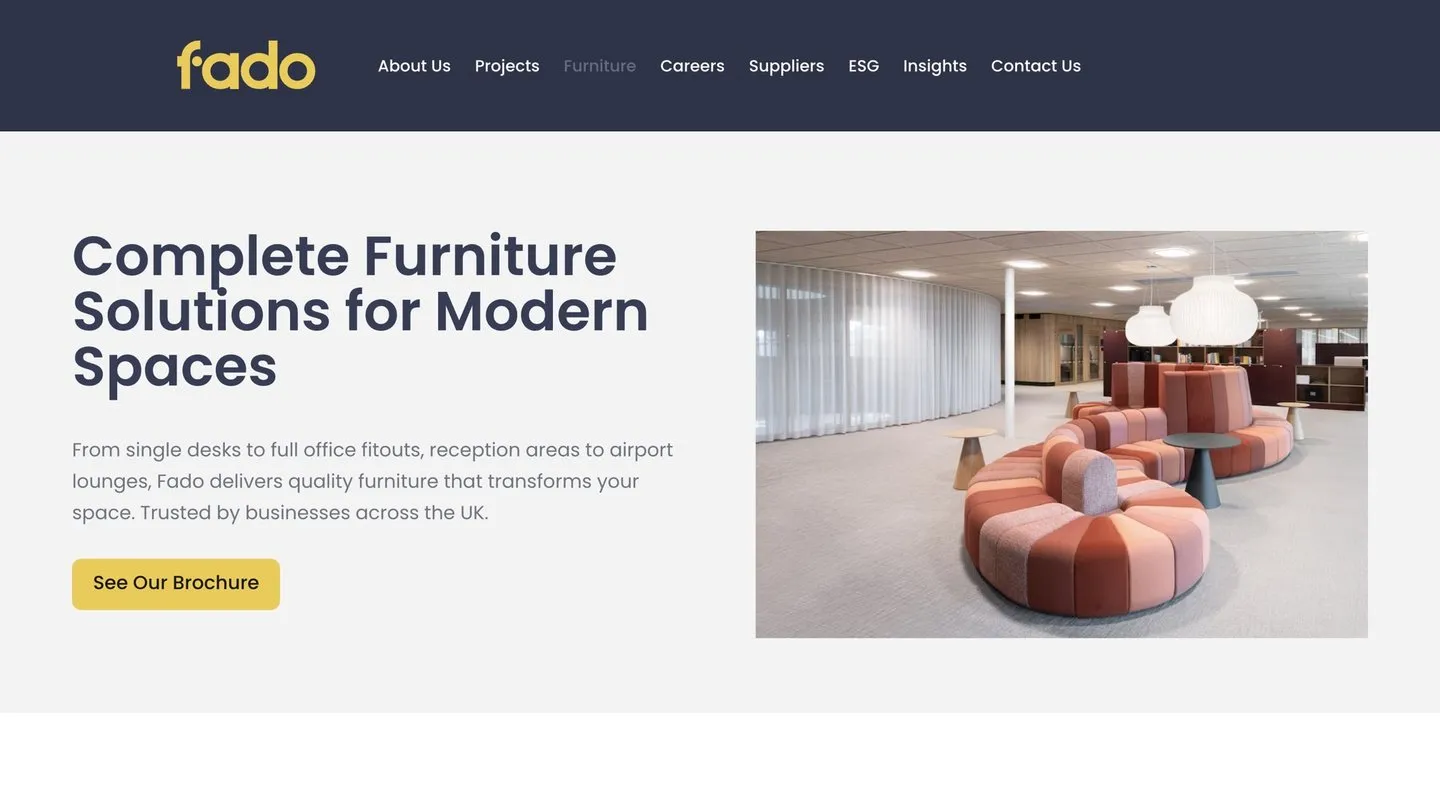 A service page I designed and built for Fado, with a link to the brochure.
How You Work, From Survey to Aftercare
Many clients have never run a fit-out before, and the process is the part they know least about. Set it out step by step:
- Site survey and brief
- Design and layout, with a cost plan
- Price and programme agreed
- The build, with a named project manager and regular updates
- Handover and snagging, with manuals and certificates
- Aftercare: who to call if something goes wrong, and for how long
Then explain how you handle the questions occupiers ask, such as working in a live building, noisy work out of hours and keeping staff and visitors safe. Answering them on the site saves time on the first call.
Proof Buyers Look For
Tender teams and larger clients check your credentials before they shortlist you. Put them where they can find them:
- Accreditations you hold, such as CHAS, Constructionline, SafeContractor or ISO 9001, 14001 and 45001, with a line on what each one covers
- The types and levels of insurance you carry
- Your health and safety approach, and who is responsible for it
List only what you hold today. Update the page when certificates renew, and use the same details in your tenders.
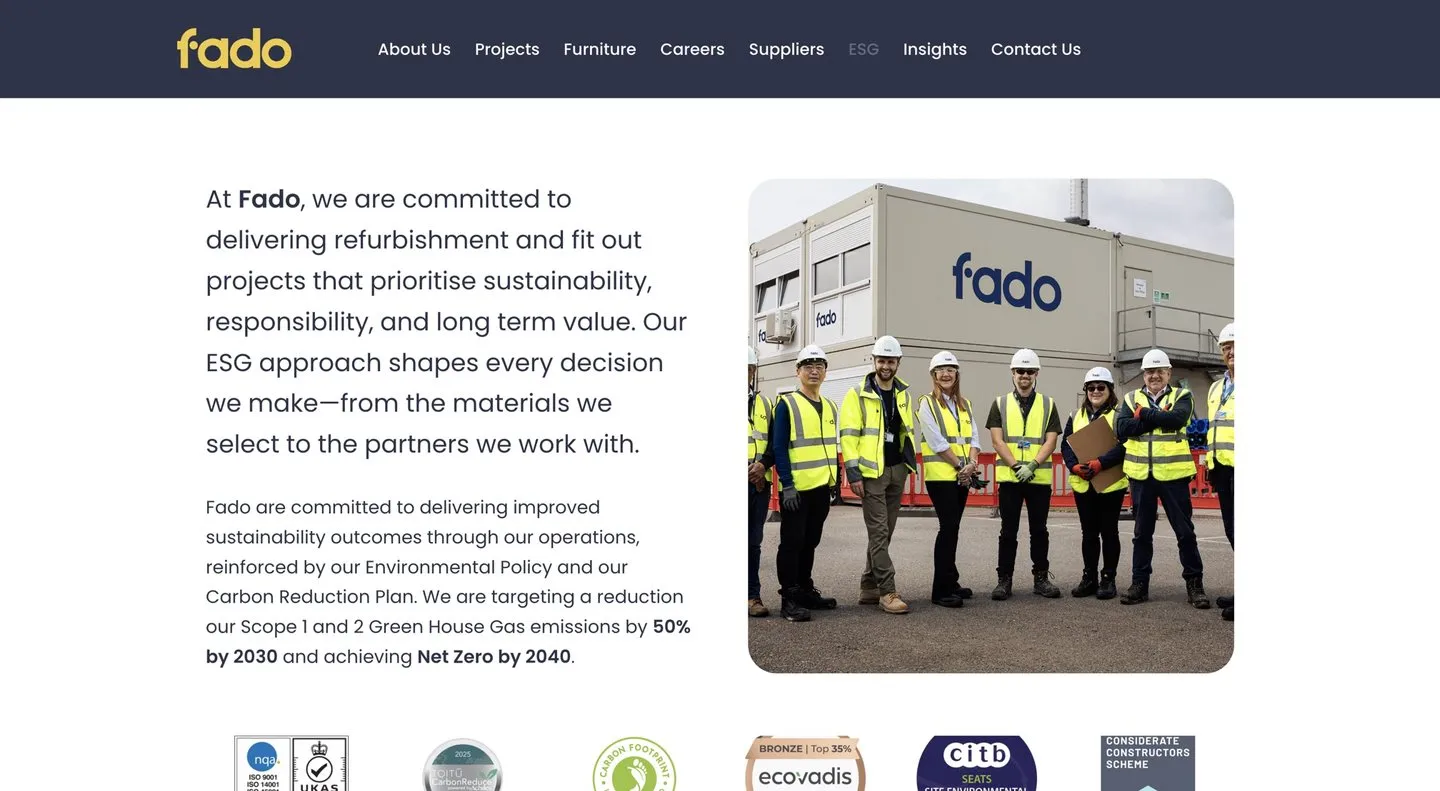 Fado’s ESG page: its commitments, targets and accreditations in one place, ready for tender teams.
Real Photos of Your Team
Clients are hiring your people, so show them. Use real photos of your directors, project managers and site teams, with names and roles. A client about to hand you their office for three months wants to know who will run the job.
Fast on a Phone
Many people first see your site on a phone, between meetings or on a site with a weak signal. If a project page takes several seconds to load, some will leave before they see your work. The main fixes:
- Resize and compress photos, so a phone downloads a phone-sized image
- Drop heavy sliders and auto-playing video from key pages
- Make phone numbers and buttons easy to tap
- Test your main pages in Google’s PageSpeed Insights, on the mobile setting
Location Pages That Help
If you work across several areas, a page for each can help people who search for fit-out companies there. Each page needs real content: projects you’ve completed in that area, the team who covers it, and local details that affect a job, such as building management rules in multi-let offices or access and parking.
Copying one page and swapping the town name creates doorway pages, which break Google’s spam policies. If you have no work to show in a town yet, leave it off. Google’s map results for local searches come from Google Business Profiles, and my guide to Google Business Profile for construction companies explains how to set one up.
Easy Contact, and What Happens Next
Put your phone number and email address at the top of every page. Keep the enquiry form short: name, company, email, phone, a box for the project and a question asking how they heard about you.
Then say what happens next, for example a call within one working day, a site visit and a written proposal. A first-time client can then see the whole path before committing.
A Capability Statement for Tender Teams
Tender teams want a document they can save and share. Offer a capability statement as a PDF, with:
- A short company overview
- Services and sectors
- Three to five relevant projects, with size, programme and value where the client allows
- Accreditations, insurance and health and safety information
- Key people and contact details
Keep it to a few pages, put a date on it and update it when accreditations renew. Make it a direct download, since tender teams often work to tight deadlines.
A Careers Page
Site managers, project managers and trades check your website before they apply, the same way clients do. A careers page with current roles, real photos, a few lines on what it’s like to work for you and a simple way to apply helps you hire. If you take on apprentices, say so.
Checklist
- Cat A and Cat B named, with a page for each one you offer
- Every project shows sector, location, sq ft, programme and type of work
- Before and after photos, and client quotes used with permission
- Your process set out from survey to aftercare
- Current accreditations, insurance and health and safety details
- Real photos of your team, with names and roles
- Fast pages on a phone
- Location pages only where you have work to show
- Phone and email on every page, and the next step explained
- A current capability statement and careers page