Construction Website Design: UK Examples and What They Get Right
A construction website has a narrow job. Someone has your name from a referral, a tender list or a hoarding they walked past, and they want to check you before they call. Within a few seconds they want to know three things: what you build, where you work, and whether you’ve done a job like theirs.
The good news is that you don’t need an award-winning design to answer those questions. You need the right things in the right order. Below are nine UK construction and fit-out websites that each do one thing especially well, what that thing is, and how a smaller firm can do the same without the budget. I looked at each site in October 2026. Websites change, so check the live version before you copy anything.
What Buyers Check First
The people who hire contractors don’t browse. A facilities manager planning an office move, a landlord’s agent with a Cat A floor to fill, or a main contractor’s buyer pre-qualifying a subcontractor all arrive with a short list of questions:
- What and where: do you do this kind of work, in this area?
- Proof: projects like mine, with real photos, sizes and locations
- Trust: accreditations, insurance, years trading, who the clients were
- Next step: a phone number and a clear way to ask for a callback or a quote
Every example below answers at least one of those better than most. My guide to what a fit-out company website needs covers each part in more detail.
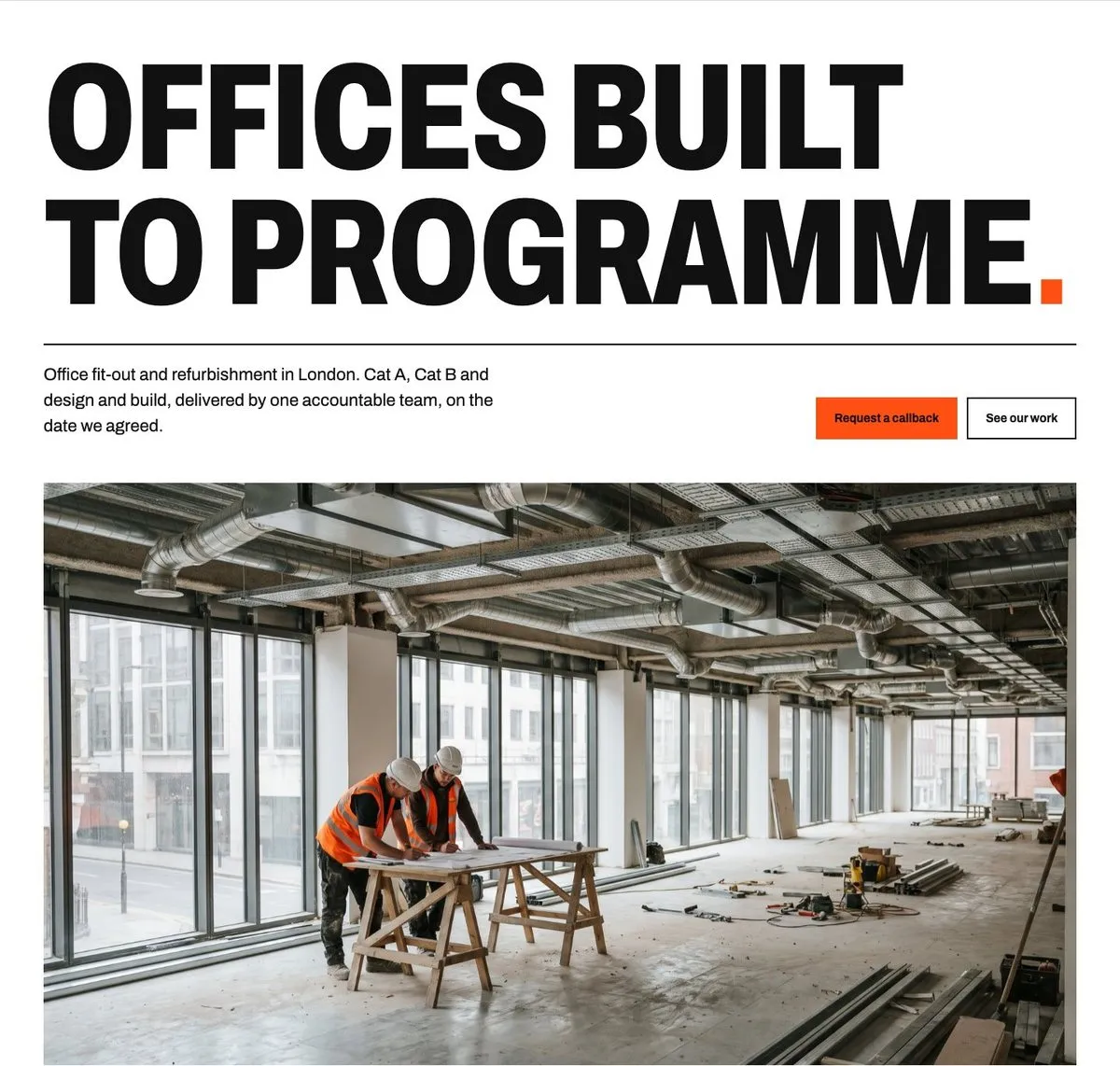 What and where in the first screen, on a concept site I built for a fictional London fit-out firm.
9 UK Construction Websites and What They Get Right
1. Morgan Lovell: What and Where in One Line
Morgan Lovell opens with “Office design and fit out experts in London and the South.” In one line you know the work and the area, so the wrong visitors leave and the right ones keep reading.
Below that, each recent project shows its location and size, for example a 30,000 sq ft job at Tower Bridge Court in London. Their services include a section for landlords and asset managers, who buy fit-out differently from the companies moving in.
Copy this: rewrite your homepage headline so it says what you build and where. Put the location and size on every project.
2. Modus: Project Cards With Postcode, Sq Ft and Sector
Modus shows each project as a card with the postcode area, the floor area and the client’s sector, such as EC2R, 14,000 sq ft, Professional Services. A law firm looking for a fit-out can see at a glance that Modus has done offices like theirs, in their part of London, at their size.
They’ve also given their landlord offer its own name, Tenant Ready, which makes it easy to remember and to ask for.
Copy this: add three labels to every project: location, size and sector. If you have a package you sell often, give it a plain name and its own page.
3. Knight Harwood: Projects Described as the Job
Knight Harwood describes each project by what was actually done: the refurbishment and extension of a Grade II listed headquarters, a seven-storey building with Cat A offices above retail, the conversion of a historic building into a gallery. You can browse the work by sector, including a separate section for historic buildings.
Those one-line descriptions tell a buyer more than “a stunning transformation” ever could, and they use the words people search for, such as listed building, Cat A and refurbishment.
Copy this: under each project photo, write one plain sentence on what you did and what made it hard.
4. Oktra: Services Sorted by Who’s Buying
Oktra groups its work by the type of client: tenants, landlords, coworking and serviced office operators, and higher education. Each group has different worries. A tenant cares about their people and their lease; a landlord cares about letting the space. Oktra speaks to each one separately.
They also explain which of their studios covers which area, and they list small works as a service in its own right, so a firm with a small job doesn’t assume it’s too small to ask.
Copy this: if you work for more than one type of client, give each one a short section or page that talks about their concerns, not yours.
5. K2 Space: Cat A and Cat B on the Homepage
K2 Space names Cat A and Cat B fit-out in its service description and says the work is delivered to programme and budget by its own project and construction team. Its refurbishment service explains that the work is phased so your business keeps running around it, which is the first question an occupier asks.
Copy this: use the industry terms your buyers use, then answer their biggest worry in the same sentence. For refurbishment, that’s usually disruption.
6. Overbury: Case Studies Tagged by Region
Overbury labels every case study with its region (London, Northern, Central or Southern), so a client in Manchester can find work near them. Their homepage mixes case studies with news on awards and sustainability ratings, which keeps it looking current.
Copy this: if you work in more than one area, tag projects by location. Post a short news item when you finish a job or win an award, so your site never looks abandoned.
7. Speller Metcalfe: Sectors in the Buyer’s Words
Speller Metcalfe opens with “Regional roots. National capability.” That one line tells a public sector buyer they get a local contractor that can still handle a large scheme. Their sector list uses the buyer’s own terms, such as Blue Light Services, Special Educational Needs and Extra Care, and there’s a section on social value, which public sector tenders score.
Their newsletter sign-up even asks whether you’re a supplier or subcontractor, so they can send the right people the right updates.
Copy this: name your sectors the way your buyers’ job titles and tender documents do. If you bid for public work, give social value its own page.
8. Willmott Dixon: Pages for Recruits and the Supply Chain
Willmott Dixon links straight from its homepage to careers, its management trainee programme and information for its supply chain. A construction website isn’t only for clients. Good subcontractors and new staff check you out too, and both are hard to find.
Copy this: add a simple careers page and a short page for subcontractors that explains how to get on your approved list.
9. Claremont: Repeat Clients as the Proof
Claremont says that over 70% of its work is with repeat clients, and backs up its size with “Small enough to care, big enough to deliver” and the size of its team. Repeat work is one of the strongest proofs a contractor can offer, because it means the last job went well.
Copy this: if a lot of your work comes from past clients, say so with a real number. Only use figures you can stand behind.
What a Smaller Firm Can Take From This
Most of these companies are large, and you don’t need their budget to do what they do well. The things that make the biggest difference cost almost nothing:
- A headline that says what and where, like Morgan Lovell’s
- Project labels with location, size and sector, like Modus
- One plain sentence per project on what you did, like Knight Harwood
- Sections for each type of client, like Oktra
- Your buyers’ own words, such as Cat A, phased refurbishment or social value
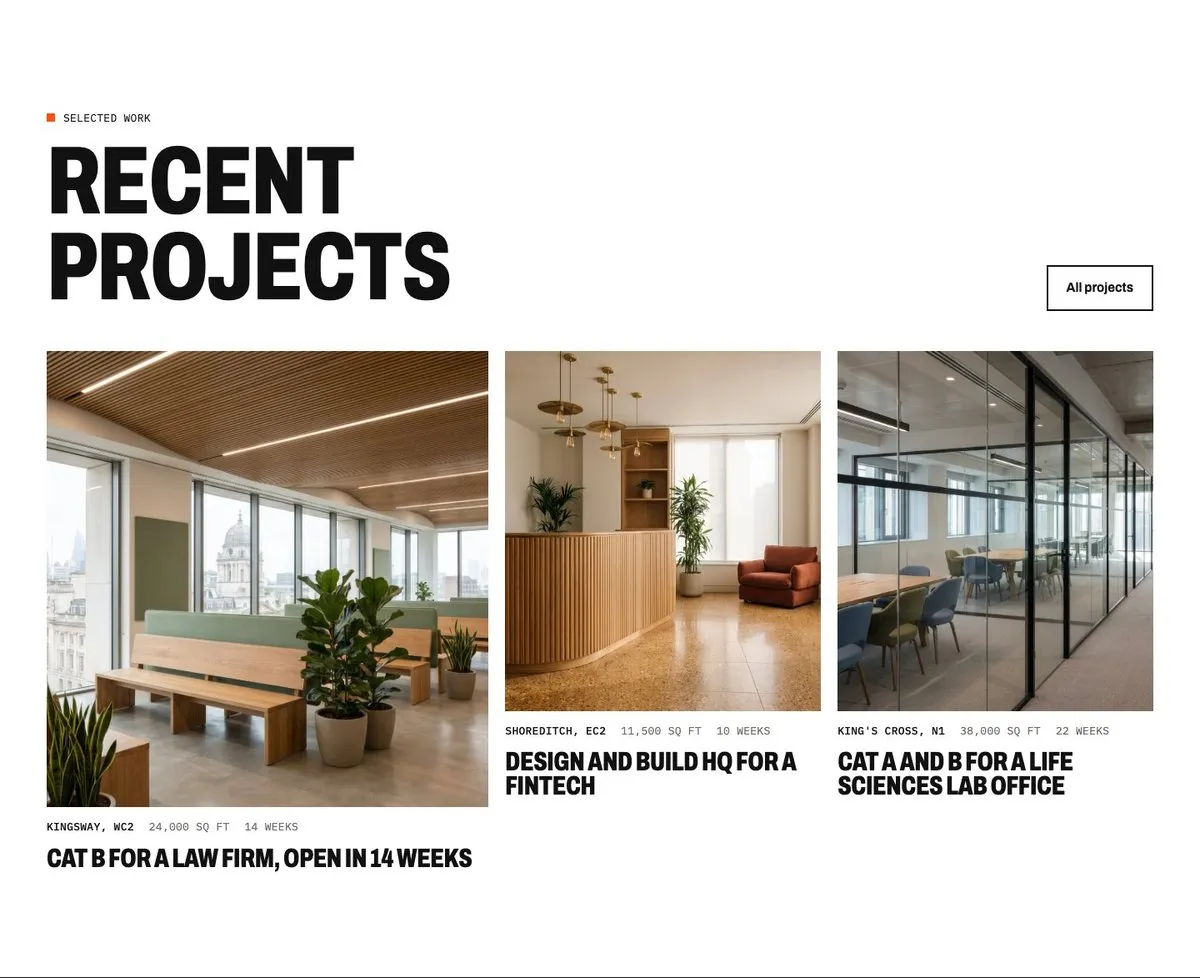 Location, size and programme on every project card. The firm and its projects are fictional.
What lets most construction websites down isn’t the design. It’s missing projects, stock photos of someone else’s building, no locations, a contact form that goes nowhere and pages that crawl on a phone. Fix those first.
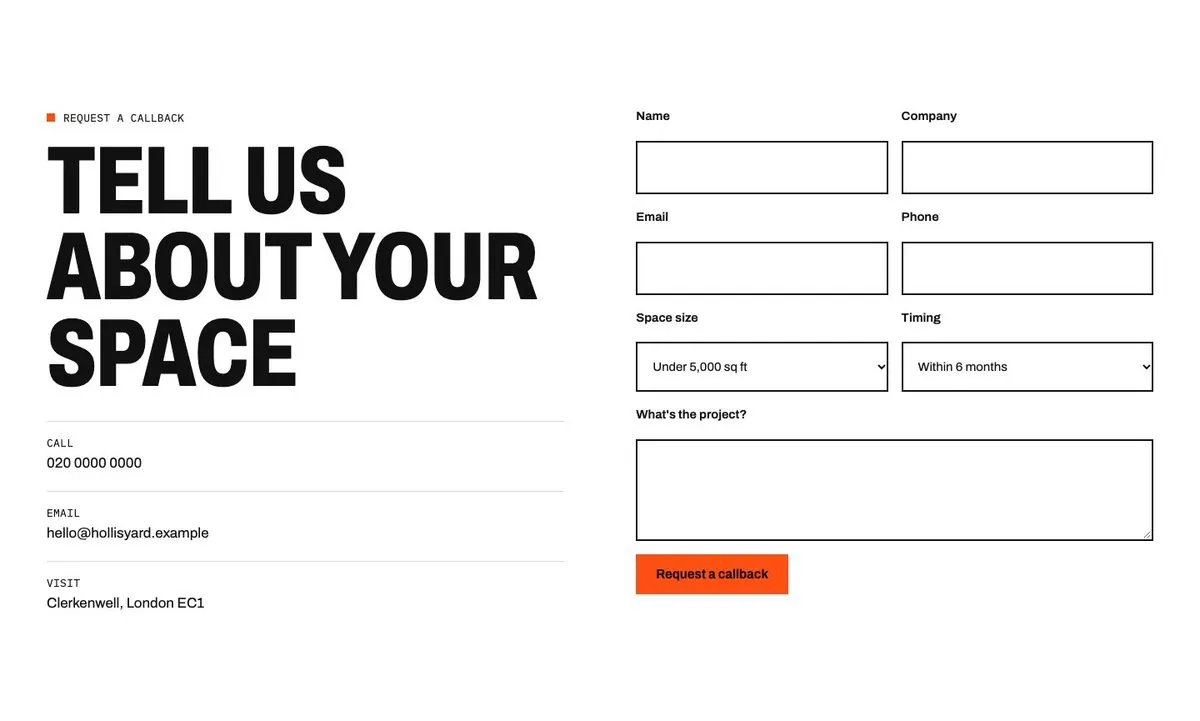 A callback form that asks for space size and timing, so the firm knows the size and urgency of the job before it calls back.
See One Built Section by Section
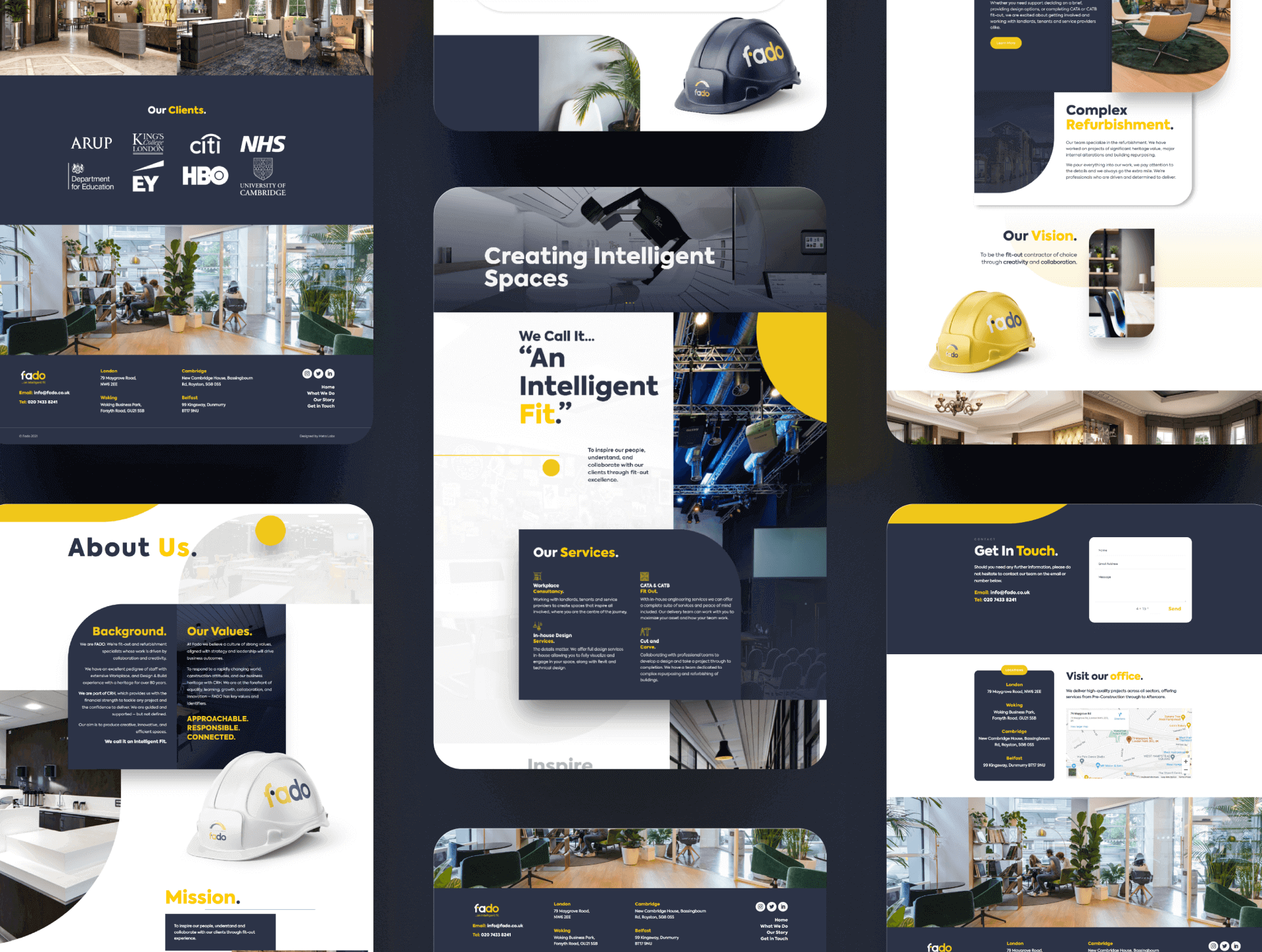
To show how this comes together, I built a concept website for a fictional London fit-out firm, Hollis Yard. The Hollis Yard concept case study goes through it section by section: the headline, the proof strip, the project pages, a programme chart and the callback form, with what each one does and why buyers need it.
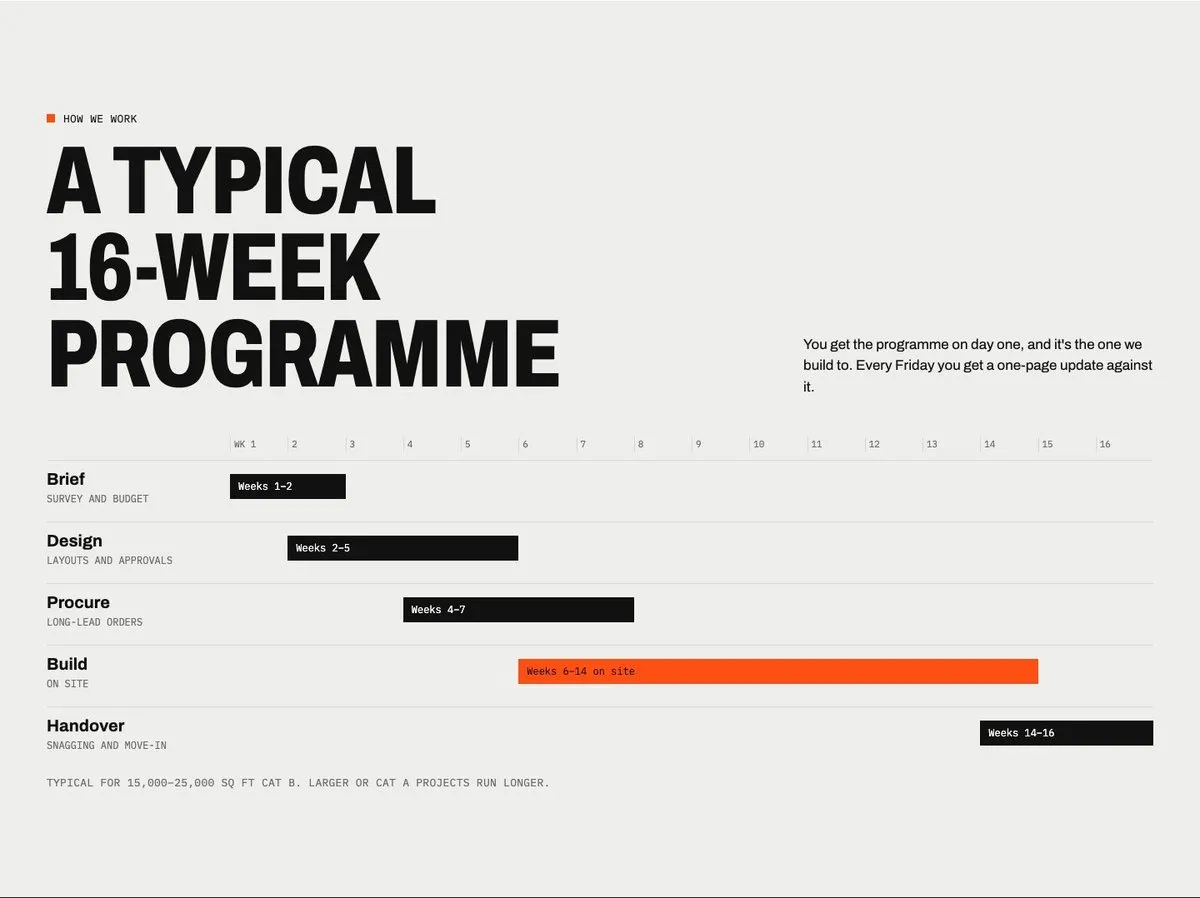 A typical programme on the homepage answers “how long will it take?” before anyone asks.
For a real example, the Fado case study covers the brand and website I designed for a London fit-out company in 2022, and the marketing I ran for them in 2025–26.
Construction Website Checklist
- Your headline says what you build and where you work
- Your phone number and email are on every page
- Every project shows the location, size, sector and type of work
- Your own photos of real jobs, including before and after where you can
- One plain sentence per project on what you did and what made it hard
- Services named in your buyers’ words (Cat A, Cat B, design and build, refurbishment)
- A section or page for each type of client you work for
- Accreditations, insurance and health and safety details are easy to find
- Client quotes used with permission, and a real number if you get a lot of repeat work
- A clear next step, such as a callback form, and what happens after someone sends it
- Pages that load fast on a phone
- A careers page and a page for subcontractors
- Fresh news or projects, so the site never looks abandoned
Common Questions
What should a construction company website include?
At the very least: what you do and where, recent projects with your own photos and the location and size of each, your services in your clients’ words, accreditations and insurance, and an easy way to get in touch. The fit-out website guide covers each of these in detail.
How much does a construction website cost?
It depends on how many pages and projects you need and whether the copy and photos are ready. For reference, a typical website rebuild with me takes one to two months and costs £4,000 to £8,000. Often the better first step is to fix the site you have, which is what my audit is for.
Do I need a new website, or can I fix the one I have?
Many construction websites only need better projects, clearer headlines and faster pages, not a redesign. Work through the checklist above first. If most of it is missing, or the site is slow and hard to edit, a rebuild usually makes more sense.
Where does the website fit in my wider marketing?
It’s where every other channel sends people. A referral, a Google search, a LinkedIn post or a tender all end with someone checking your site. My guide to marketing for construction companies covers what to do next, and the Google Business Profile guide covers the listing people see before they reach your site.
If you’d like a second pair of eyes on your own website, my £950 audit goes through it against this checklist and gives you a 90-day plan for what to fix first.