Fit-Out Company Website Design: A Concept, Section by Section
The Brief
Hollis Yard is a made-up London office fit-out firm. I built its website as a concept to show what a fit-out company site can look like when it's designed around how buyers actually choose a contractor.
I looked at the sites of the UK's leading fit-out firms first. Almost all of them look the same: a full-screen video of a finished office, a white headline about inspiring workspaces and a strip of case studies underneath. They share the same content too, because buyers expect it.
So the brief was: keep everything buyers expect, in the order they expect it, and make the look impossible to mistake for anyone else. Below is each section and why it's there.
1. Say What You Do and Where, in One Line
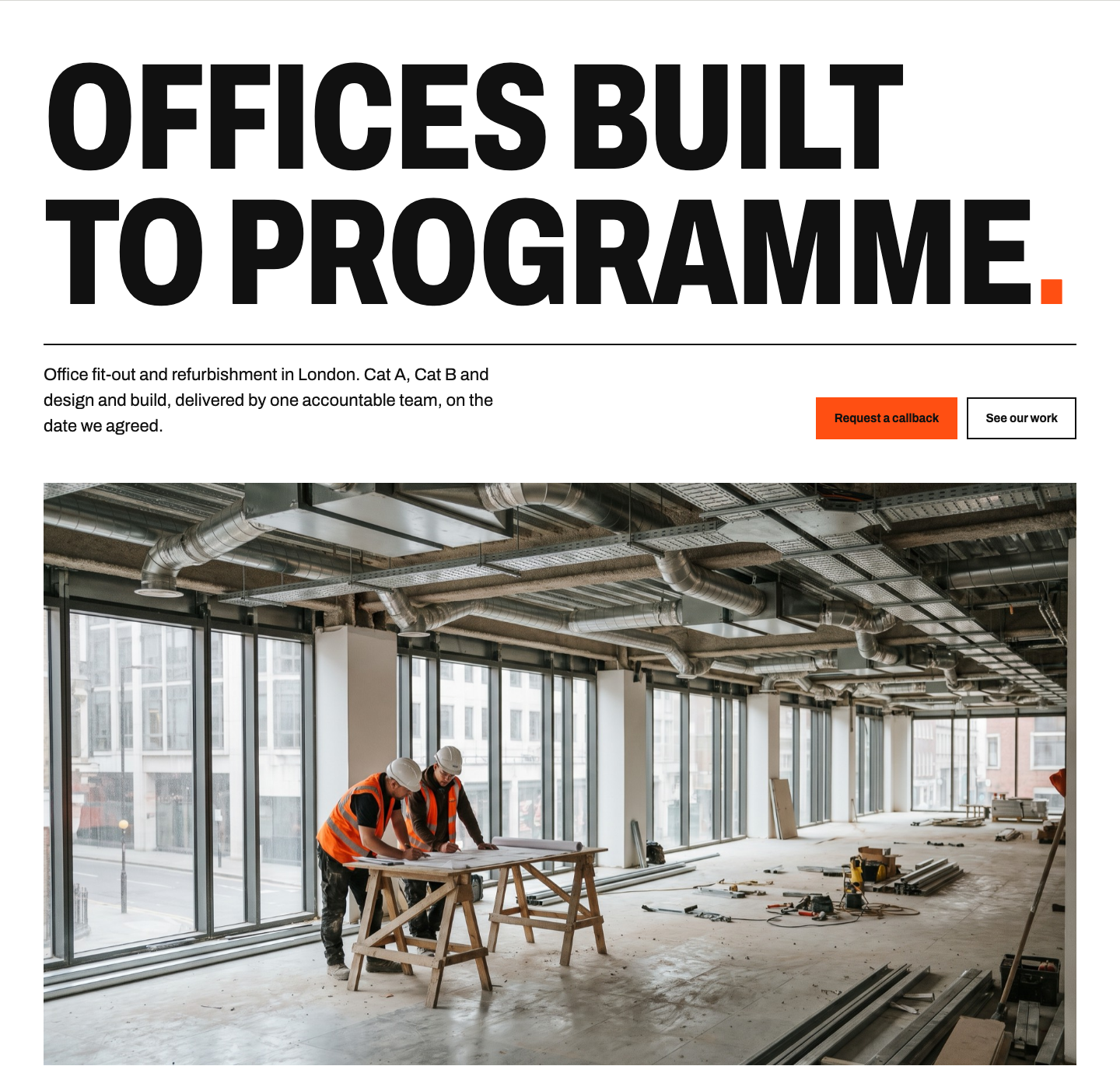
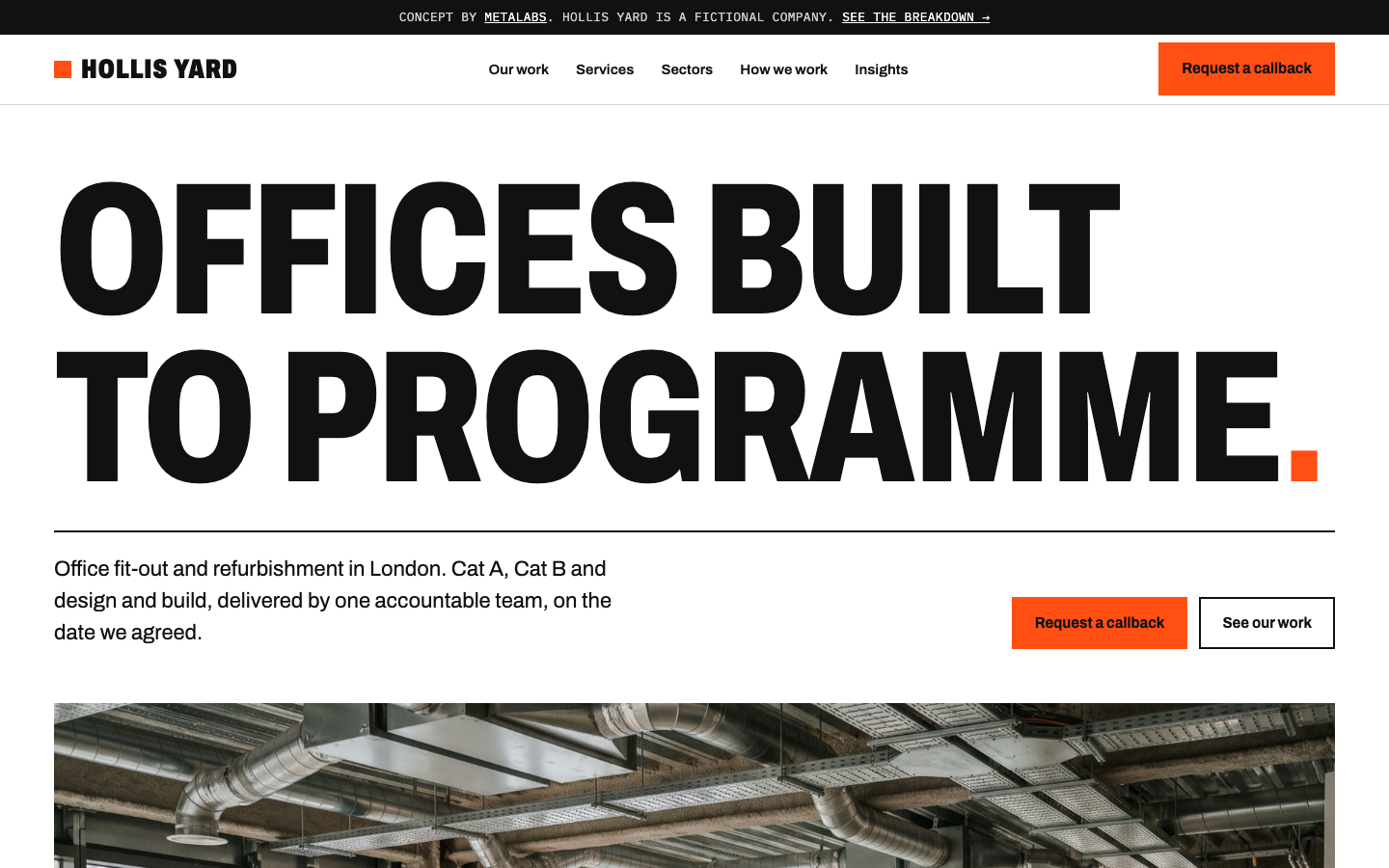
What it does: A big headline with the promise (offices built to programme), one line that says what and where (office fit-out and refurbishment in London) and two buttons: Request a callback and See our work.
Why it matters: Most fit-out homepages open with a full-screen video and a vague line about inspiring workspaces. A facilities or operations director should know within five seconds whether you do their kind of job in their area. The photo shows a site in progress, because buyers are hiring a builder, not a stock image.
2. Put the Proof Straight Under It

What it does: Three numbers (years, projects, square feet) and the accreditations procurement teams look for: ISO 9001, 14001, 45001, CHAS and Constructionline.
Why it matters: Bigger clients pre-qualify contractors. If the accreditations are buried in the footer, a procurement manager may assume you don't have them. Showing them on the first screen answers the question before it's asked.
3. Case Studies With Real Specs
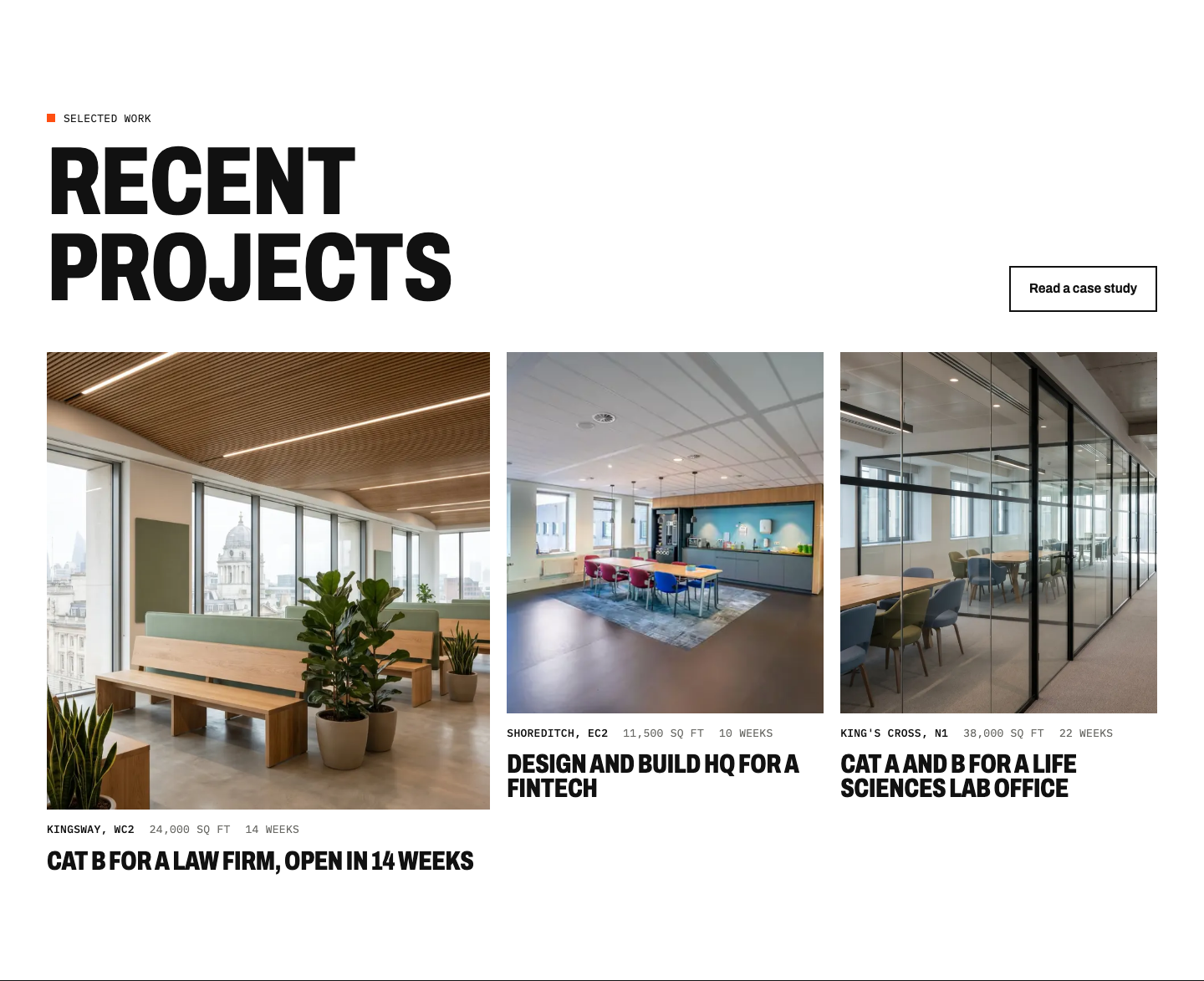
What it does: Three recent projects, each labelled with location, size in square feet and programme length in weeks.
Why it matters: Buyers compare like for like. A 20,000 sq ft Cat B buyer wants to see that you've done 20,000 sq ft Cat B, in a similar timeframe, nearby. Pretty photos without specs make them dig for it.
4. Services in the Buyer's Language
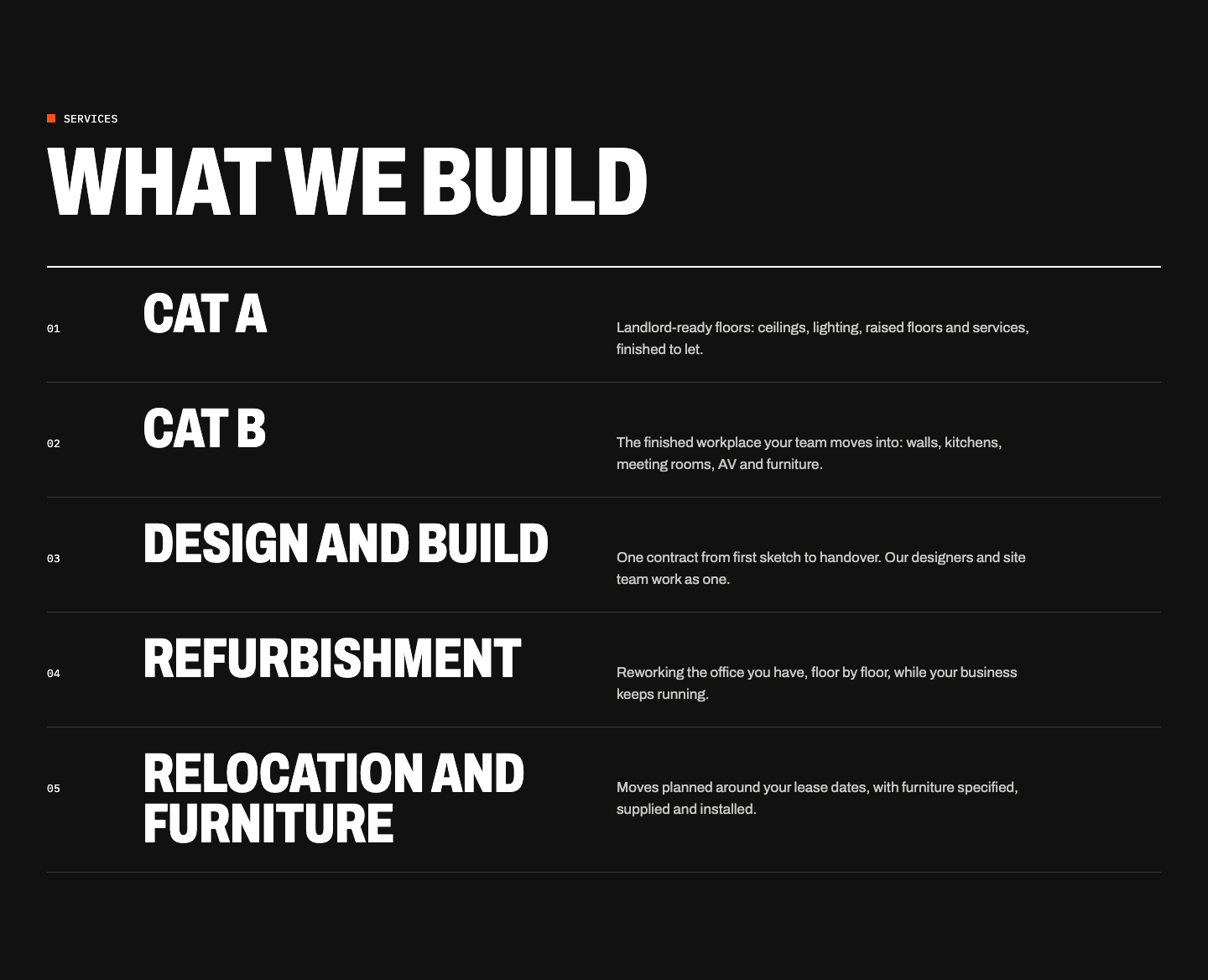
What it does: Cat A, Cat B, design and build, refurbishment, relocation and furniture, each with one plain sentence on what it covers.
Why it matters: These are the words buyers search for and write in their briefs. One sentence each is enough; the detail belongs on the service pages.
5. Answer "How Long Will It Take?" With a Programme
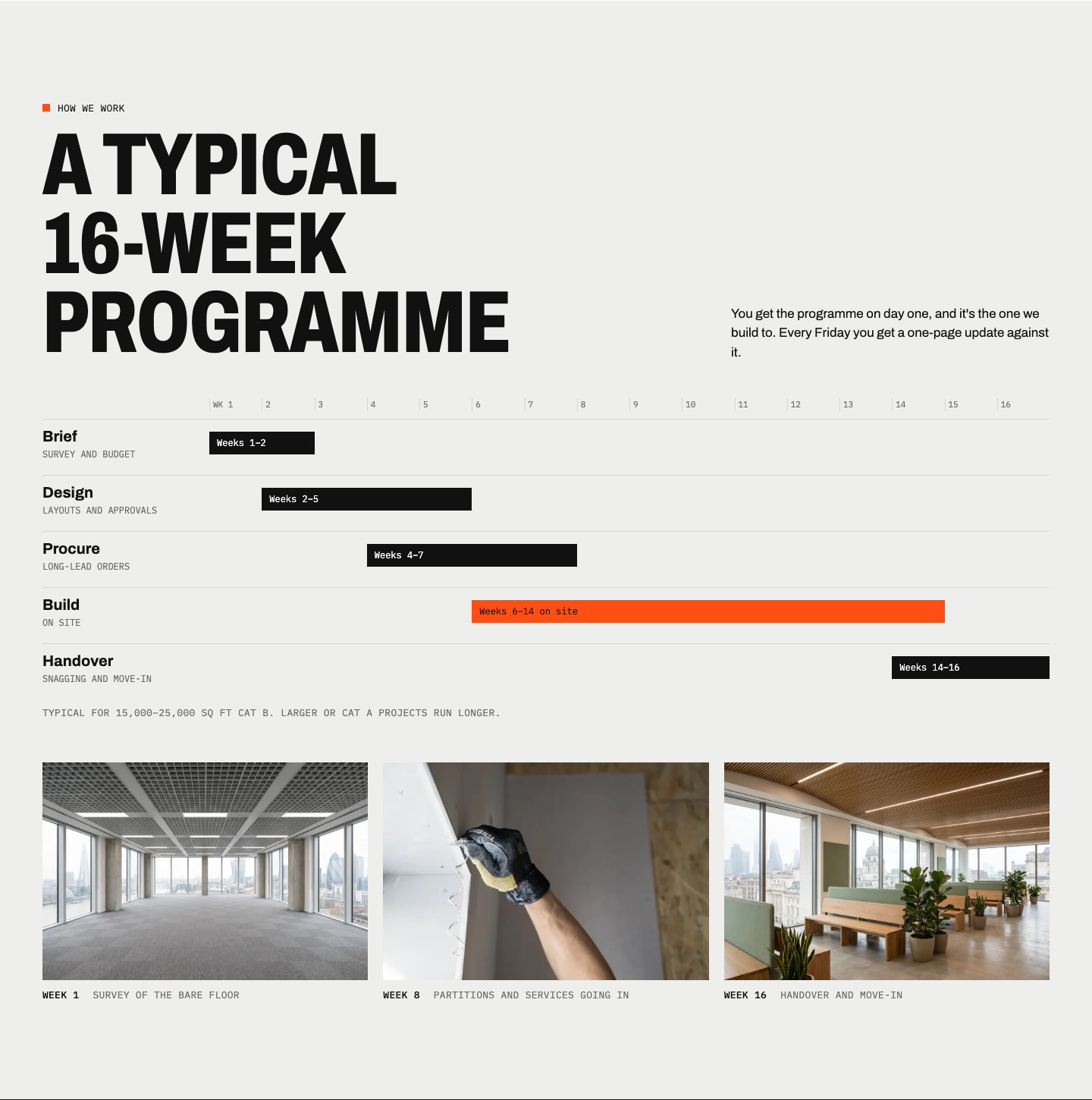
What it does: A typical 16-week programme as a chart: brief, design, procurement, build and handover, with the time on site highlighted. Under it, three photos show the same floor in week 1, week 8 and week 16.
Why it matters: How long it takes is the first question on every fit-out enquiry, usually because a lease is ending. Showing a real programme makes the promise in the headline believable, and it's the part of this concept people remember.
6. Show Who Runs the Job
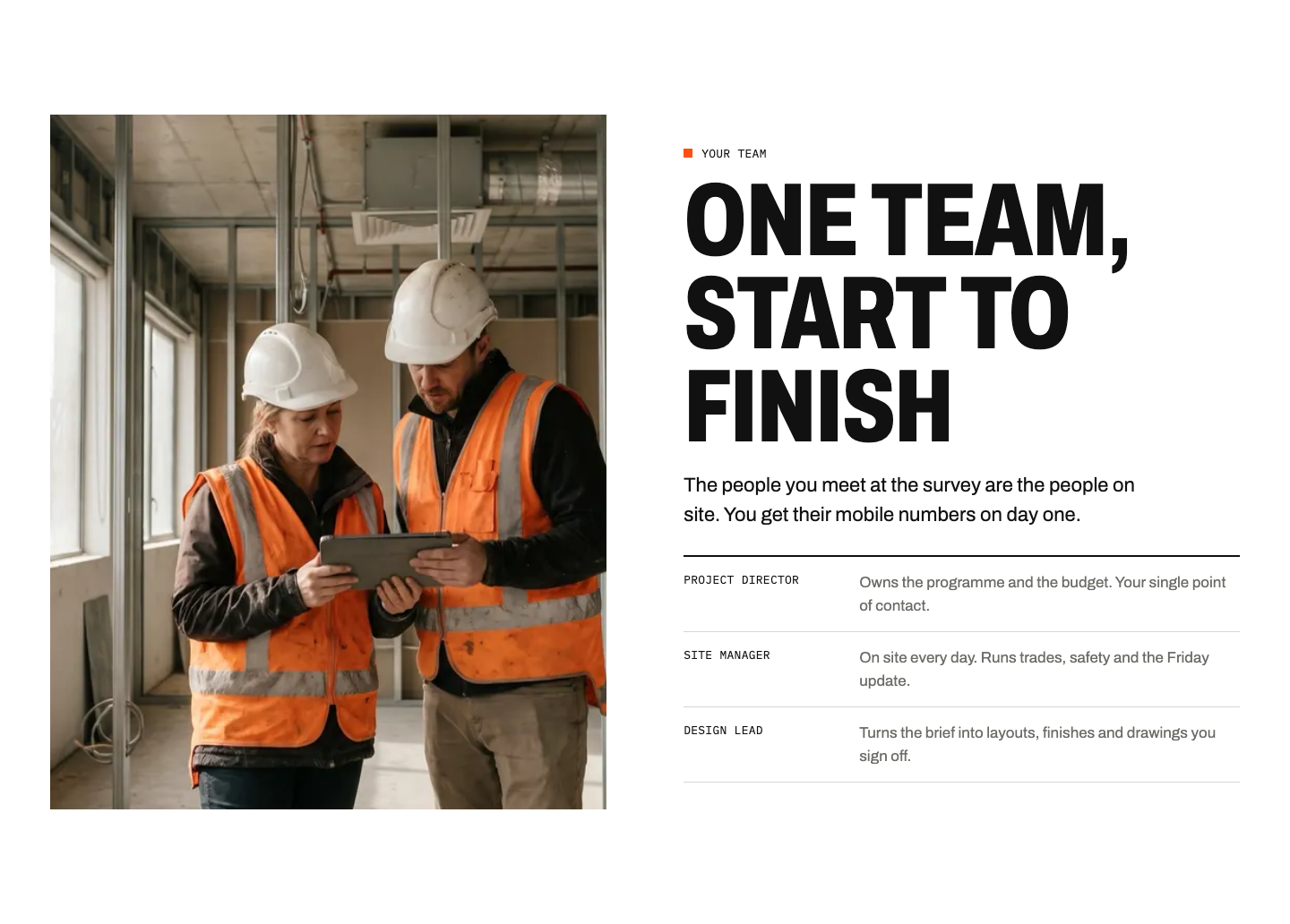
What it does: A site photo and the three people a client deals with (project director, site manager and design lead), each with one line on what they do.
Why it matters: Buyers aren't only choosing a company; they're choosing who'll be on their floor for 16 weeks. Saying who owns the programme and who's on site every day answers "who do I call?" before the first meeting.
7. Project Pages That Lead With the Numbers
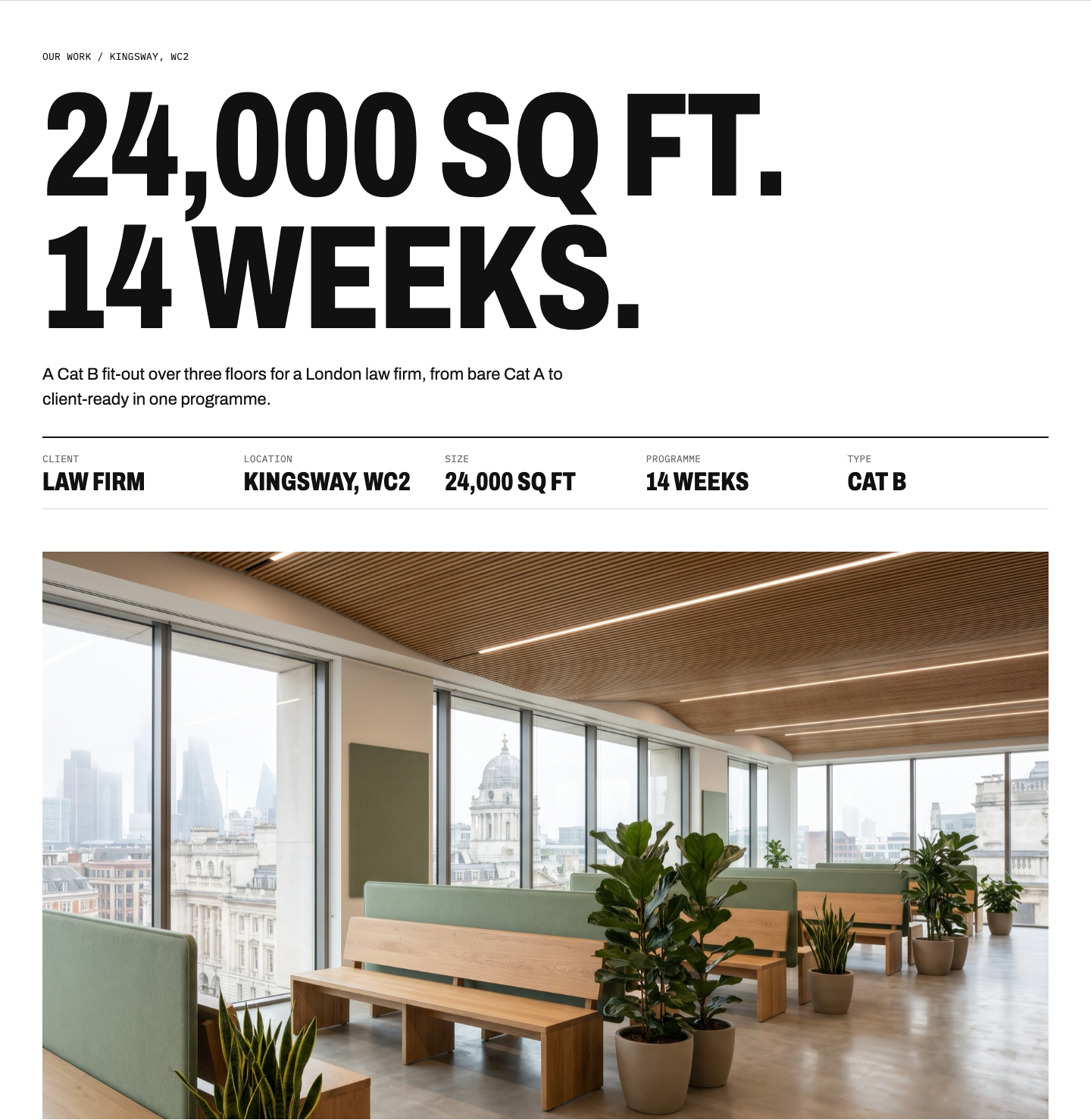
What it does: The project page opens with the size and the programme, then a stats bar, then the challenge, a captioned before-and-after, the approach with photos from site, a gallery of the finished space and the result.
Why it matters: Project pages get shared inside the client's business. The partner who never read the homepage should get the point from the first screen: big job, done on time.
8. A Callback Form That Qualifies the Lead
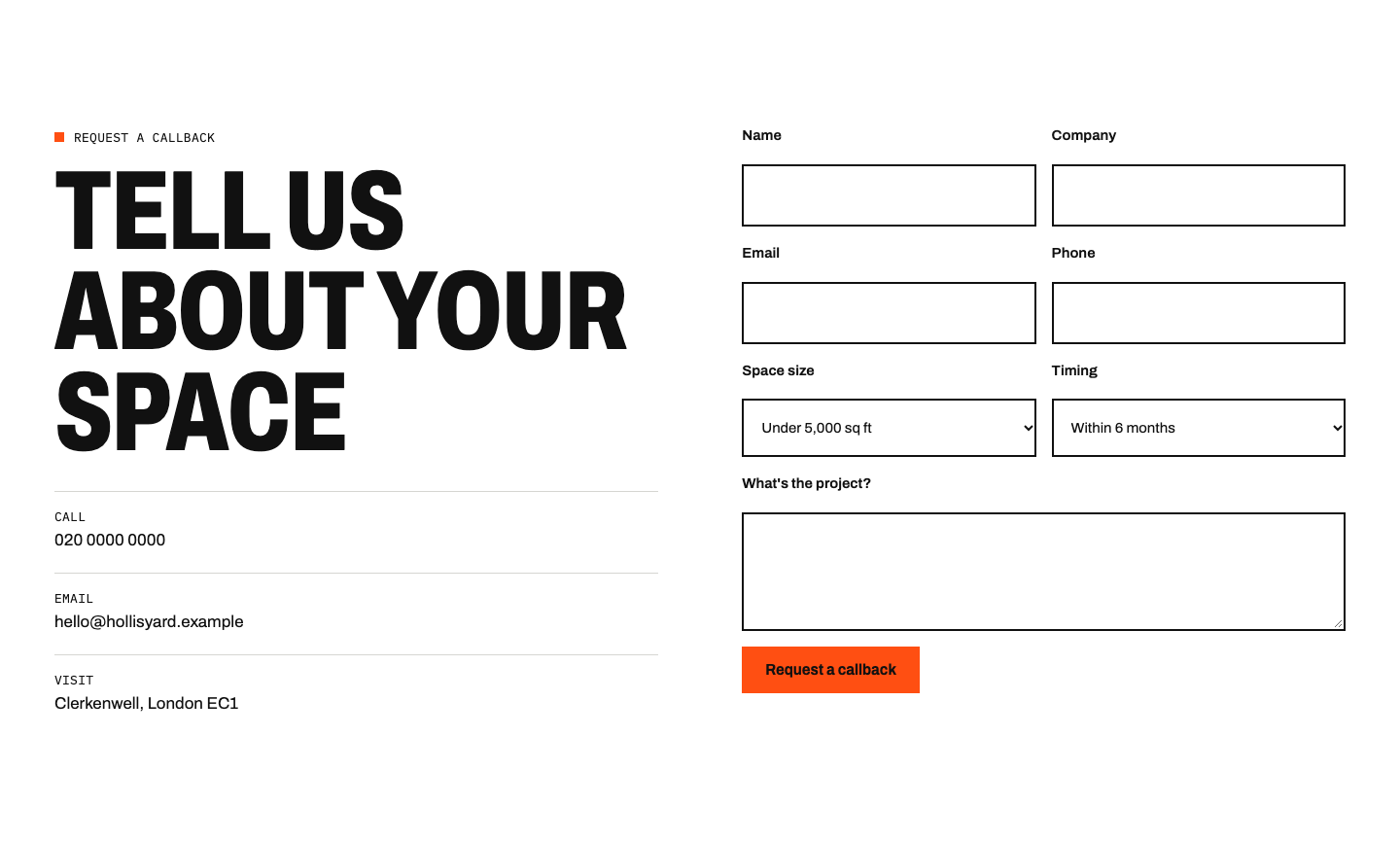
What it does: Name, company, email and phone, plus two drop-downs: space size and timing.
Why it matters: Size and timing tell you straight away whether it's a £50k refurbishment or a £2m relocation, and how urgent it is. Two drop-downs are quicker to fill in than a long form, so more people send it.
9. Built for the Phone First
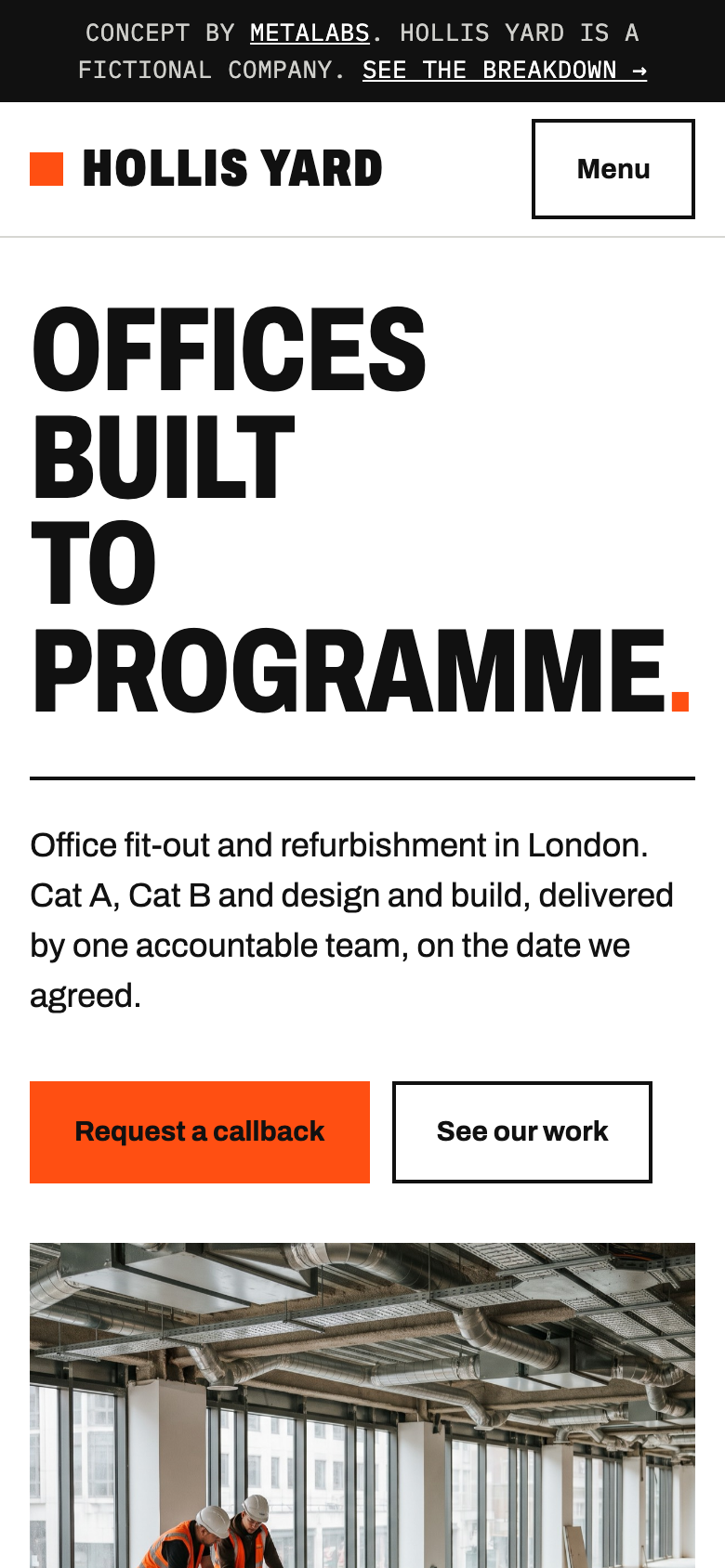
What it does: The same page, rebuilt for a phone: the headline stacks, the callback button sits under the intro and the stats wrap into two columns.
Why it matters: A lot of first visits come from a LinkedIn post or a link in an email, opened on a phone between site visits. If the phone version is an afterthought, that first impression is too.
The Design Choices
- Type: huge, condensed uppercase headlines, like lettering on a site hoarding, with a typewriter-style font for the specs, like a drawing title block.
- Colour: black, white and grey with one hoarding-orange accent, used only for actions and the time on site.
- Photos: real-looking colour photography of sites in progress and finished spaces. Clients want to see the finishes: the oak, the terrazzo, the glazing.
How Fast and Secure It Is
I tested the live concept with Lighthouse, the tool behind Google's PageSpeed Insights, on its standard phone and desktop settings:
- Phone: 100 for performance and 100 for accessibility. The main photo loads in 1.8 seconds on a simulated mobile connection.
- Desktop: 100 for performance and 100 for accessibility, with the main photo in 0.5 seconds.
- Layout shift: close to zero, so nothing jumps around while the page loads.
Most of that comes from two things: the photos are resized for each screen and served in a modern format, and the fonts load from the same server as the page.
It's a static site: plain pages served from Cloudflare's network, with no WordPress, no plugins and no database. That makes it fast, and it leaves very little to hack. There are no plugins to fall behind on updates and no admin login for bots to guess.
What Its LinkedIn Could Look Like
The website is where enquiries land. LinkedIn is one of the main ways people get there, so the second half of this concept is what Hollis Yard would post: three carousels in the same look as the site, and a simple plan for the first month.
Carousel 1: Cat A vs Cat B
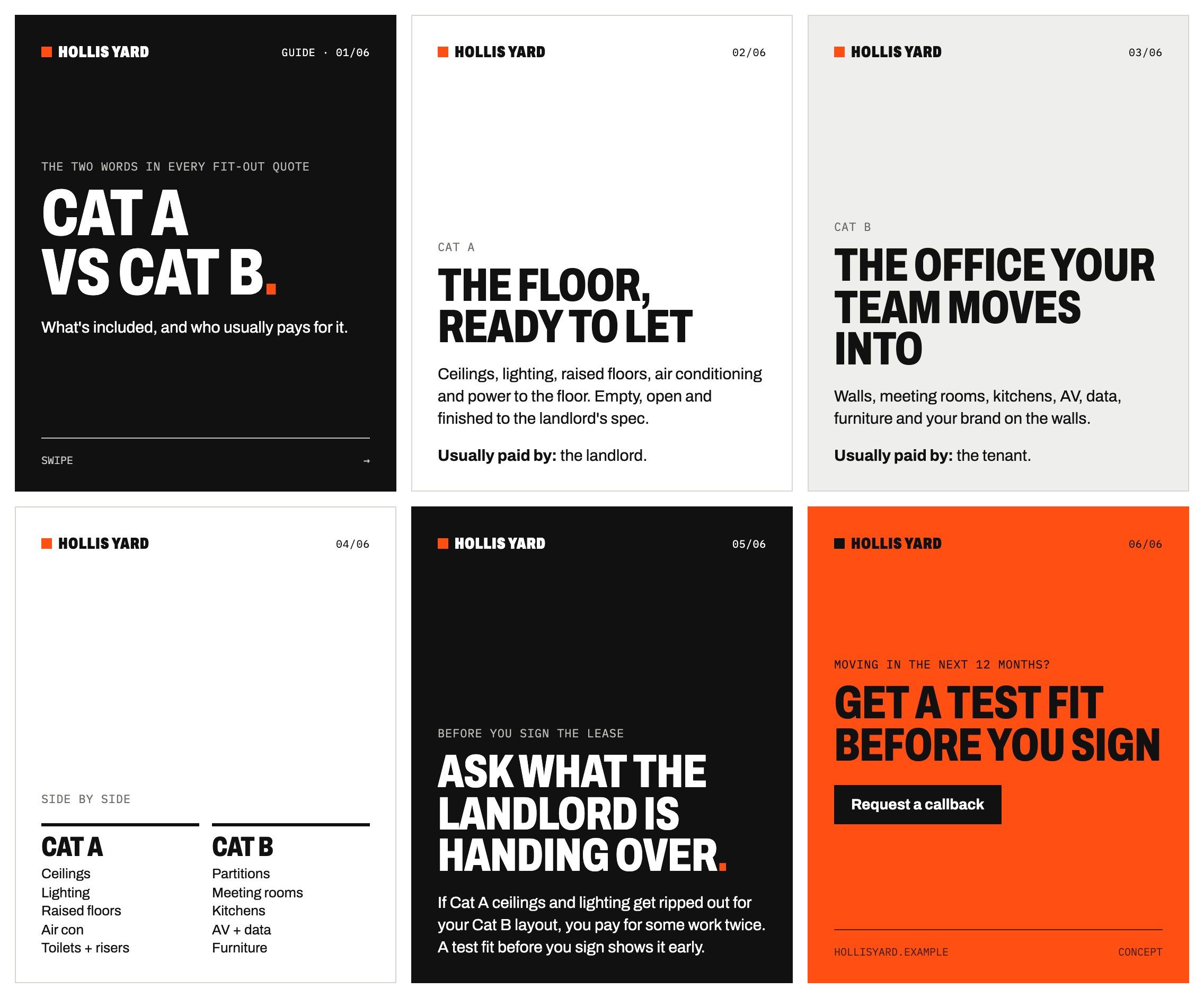
Why this one: An evergreen explainer. These are the two words in every fit-out quote, and the people signing off the budget often don't know where one ends and the other starts.
- Cat A vs Cat B: what's included, and who usually pays for it.
- Cat A, the floor ready to let: ceilings, lighting, raised floors, air conditioning. Usually paid by the landlord.
- Cat B, the office your team moves into: walls, meeting rooms, kitchens, AV, furniture. Usually paid by the tenant.
- Side by side: the two lists next to each other.
- Before you sign the lease, ask what the landlord is handing over, so you don't pay for some work twice.
- Moving in the next 12 months? Get a test fit before you sign. Request a callback.
Carousel 2: A Project in Six Slides
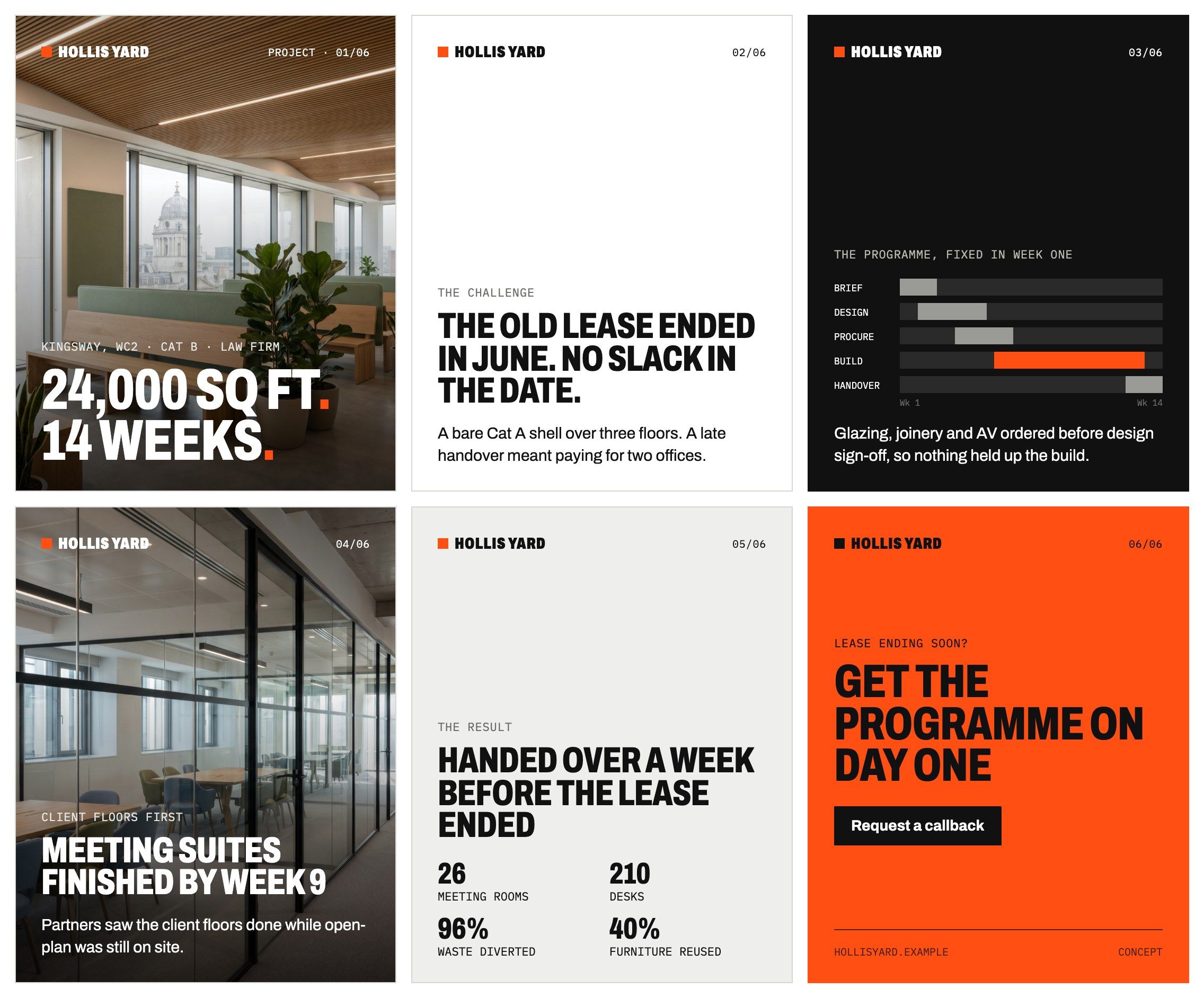
Why this one: The case study, cut down to what a buyer cares about: size, date, how the date was kept and the result. It sends people to the full project page.
- Kingsway, WC2: 24,000 sq ft. 14 weeks.
- The challenge: the old lease ended in June, with no slack in the date.
- The programme, fixed in week one, with long-lead items ordered early.
- Client floors first: meeting suites finished by week 9.
- The result: handed over a week before the lease ended. 26 meeting rooms, 210 desks.
- Lease ending soon? Get the programme on day one. Request a callback.
Carousel 3: The Lease-End Checklist
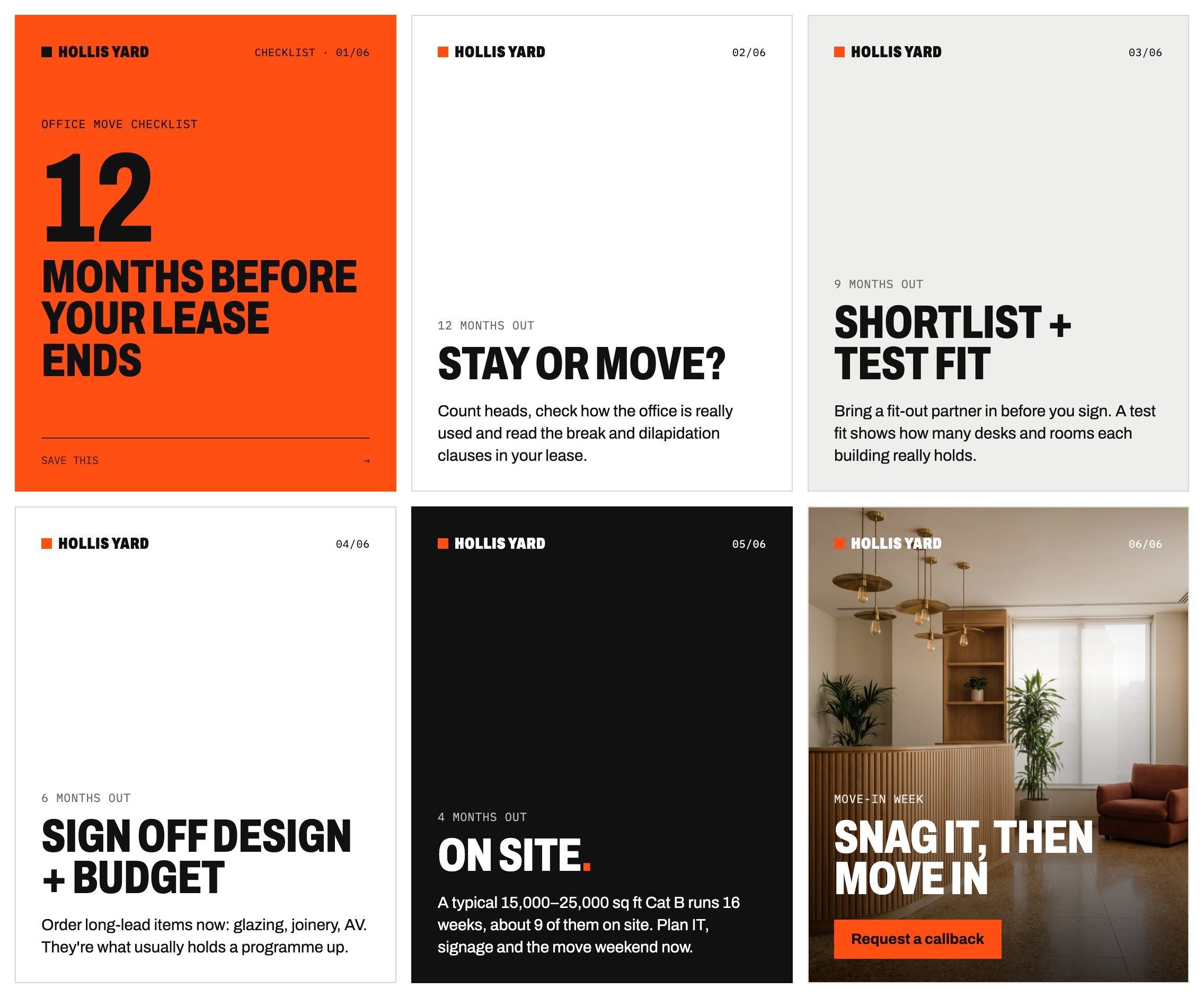
Why this one: A checklist people save and send to colleagues. It reaches buyers a year before they need a contractor, which is when the shortlist gets made.
- 12 months before your lease ends: an office move checklist.
- 12 months out: stay or move? Count heads and read the break clauses.
- 9 months out: shortlist buildings and get a test fit.
- 6 months out: sign off design and budget, and order long-lead items.
- 4 months out: on site, and plan IT, signage and the move.
- Move-in week: snag it, then move in. Request a callback.
The First Four Weeks
Two posts a week is enough to start: a carousel on Tuesday and something from site on Thursday. The directors reshare from their own profiles, so each post reaches the people who already know them.
- Week 1: carousel 1 (Cat A vs Cat B) on Tuesday, then a photo from site this week, with one line on what's happening on Thursday.
- Week 2: carousel 2 (the Kingsway project) on Tuesday, then a short video of the site manager explaining the weekly programme update on Thursday.
- Week 3: carousel 3 (the lease-end checklist) on Tuesday, then a before-and-after of one floor on Thursday.
- Week 4: a one-image post of the typical 16-week programme on Tuesday, then a handover photo from a finished floor on Thursday.
What Every Construction Website Should Include
- What you do and where, in the first line
- A callback or contact button on every screen
- Years, projects, square feet and accreditations near the top
- Case studies with location, size and programme
- Services named the way buyers name them (Cat A, Cat B, design and build)
- A typical programme, so buyers can see how long it takes
- Project pages that lead with the numbers
- A short form that asks for size and timing
- A phone version that works as well as the desktop one
If your site is missing more than two of these, it's probably costing you enquiries.
For real UK examples and the full checklist, see Construction Website Design: UK Examples and What They Get Right.
Hollis Yard is fictional. All names, figures, accreditations and quotes on the concept site and in the carousels are illustrative, and the photos are AI-generated or free stock photos from Pexels.